

Scale For Grams Scaly
Snap a photo and get an instant AI weight estimate in grams, ounces or pounds
Screenshots
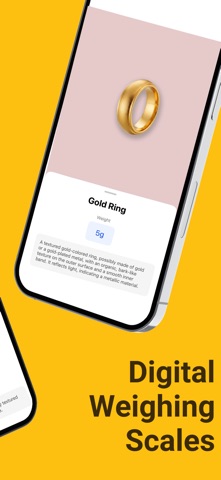

About Scaly
Scaly is a scale app for grams that works with the one tool you always carry: your camera. No kitchen scale around? Snap a photo — or pick one from your gallery — and Scaly identifies the object and estimates its weight instantly in grams, ounces or pounds. It’s honest about how it works, too: this is AI photo estimation, not a hardware sensor, so estimates are approximate by design.
Under the hood, Scaly analyzes your photo with AI to recognize what it’s looking at and estimate its weight. Want a tighter number? Add a reference object like a coin to the frame and Scaly uses it to improve accuracy. Every result appears in g, oz and lbs, a clean distraction-free design keeps things simple, and a built-in history stores everything you’ve weighed.
Scaly suits anyone who needs a quick weight reference on the go: home cooks eyeballing food portions, sellers sizing up letters and small parcels, travelers checking luggage items while packing, and the simply curious weighing everyday objects around the house. For certified measurements, use a physical scale — for everything else, Scaly is the smart pocket estimate.
Key features
AI weight estimation from a photo
Snap a photo — or pick one from your gallery — and Scaly identifies the object and estimates its weight instantly.
Results in g, oz and lbs
Every estimate is shown in grams, ounces and pounds, so you can use whichever unit you think in.
Reference objects for better accuracy
Place a known item like a coin next to what you're weighing to help Scaly refine its estimate.
Weighing history
Scaly keeps a history of everything you've weighed, so past estimates are always a tap away.
How to use Scaly
Download Scaly from the App Store
Scaly is free to download and works on iPhone and iPad running iOS 15 or later.
Snap or upload a photo
Photograph the object you want to weigh, or choose an existing photo from your gallery.
Add a reference object (optional)
Include a familiar item like a coin in the frame to give Scaly a size reference and improve the estimate.
Read the weight estimate
Scaly identifies the object and shows its estimated weight in grams, ounces and pounds, then saves it to your history.
Frequently asked questions
How accurate is Scaly? Can an iPhone really weigh things?
iPhones have no built-in weight sensor, so Scaly doesn't physically weigh anything. Instead, it analyzes your photo with AI to recognize the object and estimate its weight. Estimates are approximate — adding a reference object like a coin improves them — but when a certified or precise measurement matters, use a physical scale.
Is Scaly free to use?
Scaly is free to download from the App Store. Some premium features may be offered inside the app — Scaly Pro adds unlimited measurements, faster results and an ad-free experience.
Does Scaly work offline?
Scaly needs an internet connection, since photo analysis runs on cloud-based AI models rather than on your phone. Your weighing history remains available in the app.
What can I weigh with Scaly?
Scaly is designed for everyday estimates: food portions and cooking ingredients, letters and small parcels, jewelry, gold and coins, luggage items when packing for travel, and general objects around the house. It's a quick reference when no scale is nearby.
Can I use Scaly for postage or selling gold?
Use Scaly for a quick ballpark, not a final figure. Postage rates and precious-metal sales depend on exact weights, so confirm on a certified physical scale before paying for shipping or agreeing on a price. Scaly is an estimation tool, not a certified measuring instrument.
Which devices does Scaly support?
Scaly runs on iPhone and iPad with iOS 15.0 or later, and it's available in more than 30 languages. An Android version is planned — check back on this page for the Google Play link.
Get Scaly today
Free to download — join the users who already love it.