

Voice Changer Recorder Fuvoch
Record your voice, mix up to 5 crazy effects, and share the laughs
Screenshots



About Fuvoch
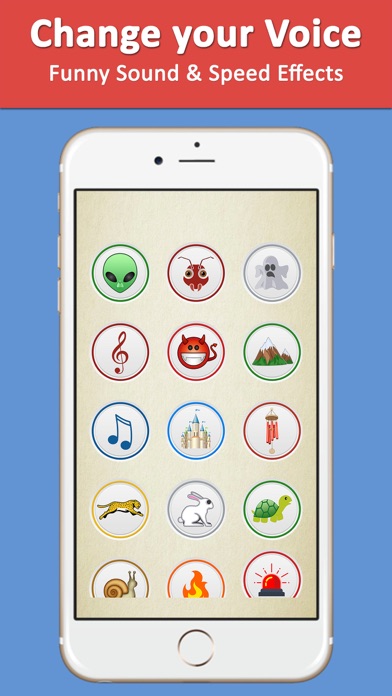
Fuvoch turns any voice memo into comedy gold. Tap record, say something, then flip through 55+ voice, speed and background effects — clown, chipmunk, robot, alien, duck and more. Every effect transforms your recording instantly, so a boring message becomes a helium-pitched squeak or a booming robot announcement in seconds.
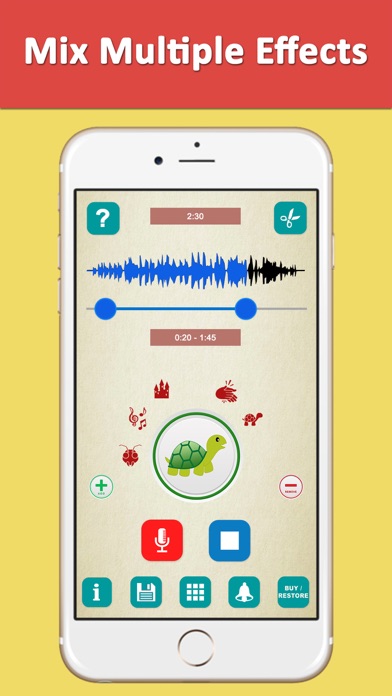
The real fun starts when you mix. Fuvoch lets you stack up to 5 effects on a single recording, from silly voices to nature backgrounds like ocean waves, jungle birds or rolling thunder — millions of possible combinations. Trim your clip to the perfect moment, then share it over chat, email or social media, or even turn it into a ringtone.
Whether you’re sending funny voice memos instead of boring emails, building a meme soundboard for parties, or pranking friends with an unrecognizable voice, Fuvoch makes every recording worth a laugh.
Key features
55+ voice and sound effects
Go clown, chipmunk, robot, alien or duck, or layer in nature backgrounds like rain, ocean and jungle sounds.
Mix up to 5 effects at once
Stack voice, speed and background effects on one recording for millions of possible combinations.
Trim your recordings
Cut clips down to the funniest moment before you save or share them.
Share anywhere or make ringtones
Send recordings over chat, email or social media, save them for later, or turn them into ringtones.
How to use Fuvoch
Download Fuvoch from the App Store
Fuvoch is free to download and works on iPhone and iPad running iOS 9.0 or later.
Tap record and say something
Tap the record button to start, speak or sing, then tap again to stop.
Pick and mix your effects
Tap the effect button to change the sound, and use the + button to stack up to 5 effects on the same clip.
Share or save your creation
Send it over your favorite social media, text or email, save it in the app, or create a ringtone from it.
Frequently asked questions
How good do Fuvoch's voice effects sound?
Fuvoch applies real audio effects to your recording rather than simple pitch tricks, with 55+ voice, speed and background options to play with. Because you can mix up to 5 effects on one clip, you can fine-tune a combination until it sounds exactly as silly — or as convincing — as you want.
Is Fuvoch free to use?
Fuvoch is free to download from the App Store. You can record, apply effects and share right away; some premium features may be offered inside the app.
Does Fuvoch work offline?
Yes, mostly. 45 of the effects are built into the app and work without an internet connection, with additional effects available online. Sharing to social media naturally requires a connection.
Which devices does Fuvoch support?
Fuvoch runs on iPhone and iPad with iOS 9.0 or later. An Android version is planned — check back on this page for the Google Play link.
Can I combine multiple voice effects in one recording?
Yes — that's Fuvoch's signature trick. You can mix up to 5 voice, speed and background effects on the same recording, which multiplies into millions of possible combinations.
Can I make ringtones with Fuvoch?
Yes. Once you've recorded and mixed a clip you like, Fuvoch lets you create a ringtone from it, so your funniest creation can announce every incoming call.
Get Fuvoch today
Free to download — join the users who already love it.